> ## Documentation Index
> Fetch the complete documentation index at: https://docs.screenshepherd.live/llms.txt
> Use this file to discover all available pages before exploring further.
# When something looks wrong
> What to do during a service when the slides are not doing what you expect.
**You can always take over.** Press **next** in ProPresenter and the right
slide is up. Nothing you do here makes anything worse, and stopping
ScreenShepherd never stops ProPresenter.
## During the service
Find what you can see on the left. Do what is on the right. Do not try to work
out why. That can wait until afterwards.
| What you can see | What to do |
| ------------------------------------------------------------- | ---------------------------------------------------------------------------------------------------------------------------------------------------------------------------------- |
| The wrong slide is up, for any reason | Press **next** in ProPresenter. Then **previous** if you need to. This sorts out almost everything. |
| The band is repeating a chorus and the slide is stuck | Press **next** once. |
| It went to the wrong song | Press **Go back to** *(song)* in the ScreenShepherd window, or just pick the right song in ProPresenter. |
| The words have gone off the screen during a long instrumental | Normal. They come back as soon as someone sings. |
| Slides have stopped moving on their own | Look at the Control Panel. If the button says **Start**, it is not listening. Press it. |
| The Control Panel says **Needs attention** | Click it. See the table below for what each line means. |
| A bible passage is stuck on the screen | Press **Clear** in the ScreenShepherd window. |
| It is asking you to sign in | This only ever happens when ScreenShepherd is opened, never in the middle of a service. Carry on by hand and see [Account and billing](/reference/account-and-billing) afterwards. |
| Anything else you cannot explain | Press **Stop** and drive it yourself. Do not try to fix it now. |
## What Needs attention means
Clicking the status word opens three lines. Only one of them is usually the problem.
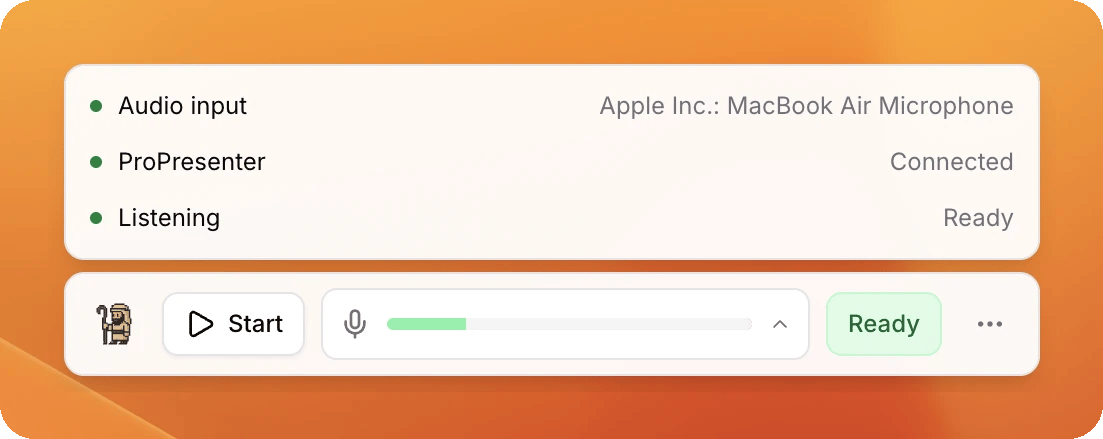
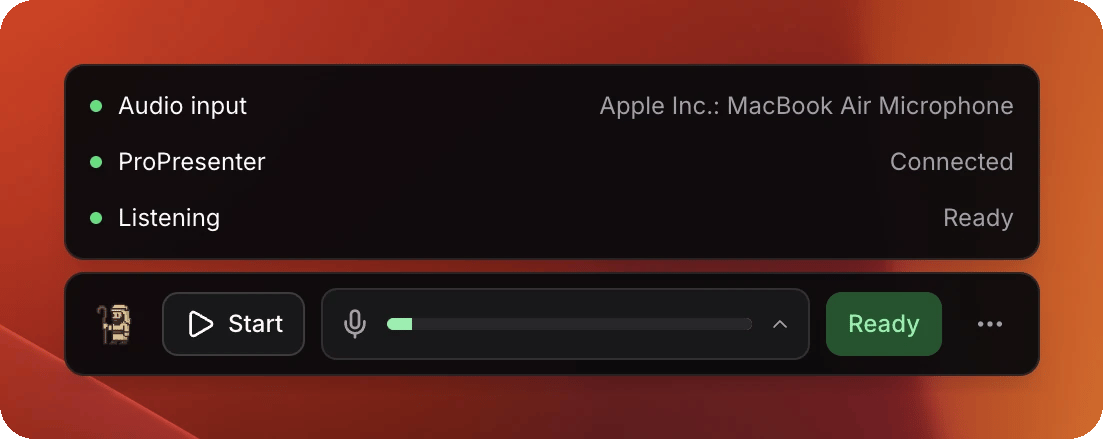 Green on all three, as above, is a computer ready to run a service. When one is not green, this is what it means.
| The line says | What it means | What to do |
| ------------------------------------------ | -------------------------------------------------------- | ----------------------------------------------------------------------------------------------------- |
| Audio input: **Can't hear it** | The audio interface has gone, or has moved. | Check it is still plugged in. Fix it properly after the service: [The microphone](/setup/microphone). |
| Audio input: **Blocked by macOS** | The computer is refusing ScreenShepherd the microphone. | Not a Sunday morning job. Carry on by hand and see [The microphone](/setup/microphone). |
| Audio input: **Not chosen yet** | Nobody has picked a microphone channel on this computer. | Carry on by hand. Someone needs to set it up: [The microphone](/setup/microphone). |
| ProPresenter: **Not connected** | ScreenShepherd cannot see ProPresenter. | Check ProPresenter is still open on this computer. It reconnects by itself. |
| ProPresenter: **No port set** | It has never been connected on this computer. | Carry on by hand. See [ProPresenter](/setup/propresenter). |
| ProPresenter: **Reconnecting** | It is already trying. | Wait a few seconds. |
| Listening: **Getting ready** | It is still starting up. | Wait. It is usually a matter of seconds. |
| Listening: **This computer is struggling** | Something else on the computer is eating it. | Close anything you are not using. Slides still work in the meantime. |
| Listening: **Couldn't start** | ScreenShepherd could not get going. | Carry on by hand. Quit and reopen the app after the service. |
## Not sure it is even listening?
Look at the button on the Control Panel.
* It says **Stop**. It is on.
* It says **Start**. It is off. Press it.
## Not sure the microphone is alive?
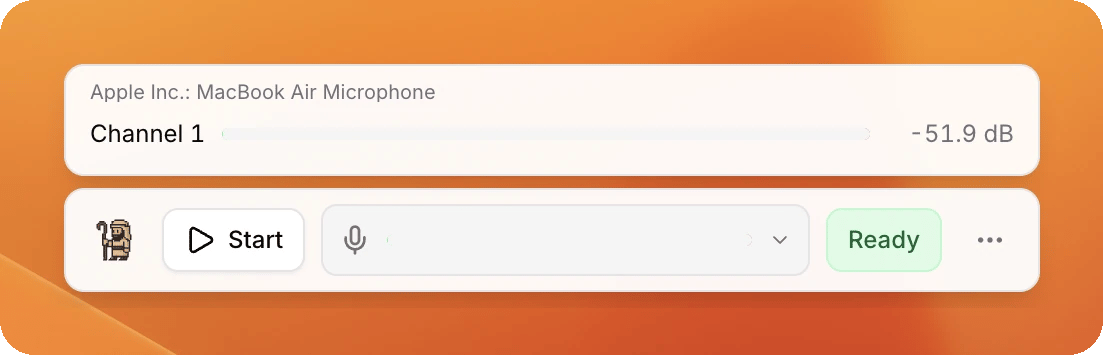
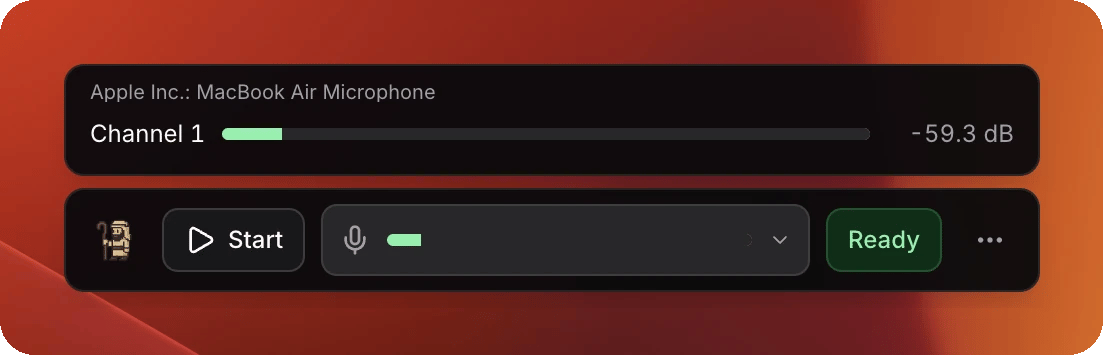
Click the meter. Every vocal channel gets a row of its own, so a microphone that has died looks different from one that is simply quiet.
Green on all three, as above, is a computer ready to run a service. When one is not green, this is what it means.
| The line says | What it means | What to do |
| ------------------------------------------ | -------------------------------------------------------- | ----------------------------------------------------------------------------------------------------- |
| Audio input: **Can't hear it** | The audio interface has gone, or has moved. | Check it is still plugged in. Fix it properly after the service: [The microphone](/setup/microphone). |
| Audio input: **Blocked by macOS** | The computer is refusing ScreenShepherd the microphone. | Not a Sunday morning job. Carry on by hand and see [The microphone](/setup/microphone). |
| Audio input: **Not chosen yet** | Nobody has picked a microphone channel on this computer. | Carry on by hand. Someone needs to set it up: [The microphone](/setup/microphone). |
| ProPresenter: **Not connected** | ScreenShepherd cannot see ProPresenter. | Check ProPresenter is still open on this computer. It reconnects by itself. |
| ProPresenter: **No port set** | It has never been connected on this computer. | Carry on by hand. See [ProPresenter](/setup/propresenter). |
| ProPresenter: **Reconnecting** | It is already trying. | Wait a few seconds. |
| Listening: **Getting ready** | It is still starting up. | Wait. It is usually a matter of seconds. |
| Listening: **This computer is struggling** | Something else on the computer is eating it. | Close anything you are not using. Slides still work in the meantime. |
| Listening: **Couldn't start** | ScreenShepherd could not get going. | Carry on by hand. Quit and reopen the app after the service. |
## Not sure it is even listening?
Look at the button on the Control Panel.
* It says **Stop**. It is on.
* It says **Start**. It is off. Press it.
## Not sure the microphone is alive?
Click the meter. Every vocal channel gets a row of its own, so a microphone that has died looks different from one that is simply quiet.
 ## When it moves late
A slight delay is normal and it is deliberate. A slide that comes up too early
is much worse in a service than one that comes up a moment late, so when
ScreenShepherd is not sure it holds still rather than guessing.
You will press **next** yourself now and then, usually when the band goes round
a chorus again. That is it choosing to wait, and it is working as intended. See
[How it behaves](/reference/how-it-behaves).
## Afterwards
Write down roughly what time the odd thing happened. That one detail is what
makes it findable later.
## When it moves late
A slight delay is normal and it is deliberate. A slide that comes up too early
is much worse in a service than one that comes up a moment late, so when
ScreenShepherd is not sure it holds still rather than guessing.
You will press **next** yourself now and then, usually when the band goes round
a chorus again. That is it choosing to wait, and it is working as intended. See
[How it behaves](/reference/how-it-behaves).
## Afterwards
Write down roughly what time the odd thing happened. That one detail is what
makes it findable later.